 LogGate
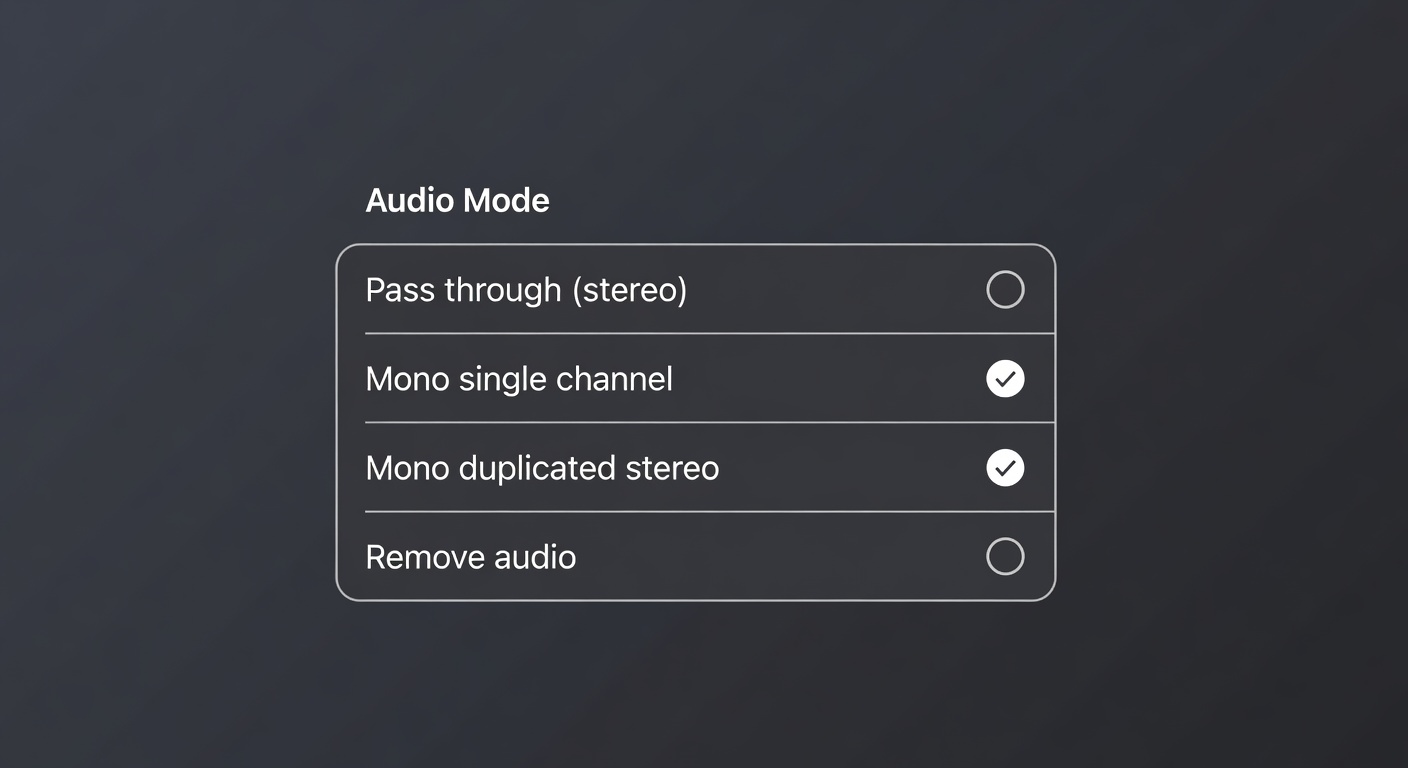
LogGate Pro v1.2 is now live on the App Store for macOS, iOS, and iPadOS. This release adds an Audio mode picker in Settings and rebuilds the per-item progress display in the queue. Defaults are unchanged for existing workflows.
Get LogGate Pro on the App Store
What’s new
Audio mode picker
Settings now exposes an Audio picker with four mutually-exclusive modes. Your selection is recorded in each item’s processing log alongside the existing video parameters.
- Pass through (stereo) — re-encodes the source’s audio track to AAC at 192 kbps, 48 kHz, stereo. This is the default. The bitrate was lowered from 256 kbps in v1.1 to a social-media-friendly value that remains transparent for typical content.
- Mono — single channel — true 1-channel AAC at 128 kbps, 48 kHz. AVFoundation downmixes L+R during decode. Smallest file with audio retained; ideal for voice, dialog, and podcast cuts.
- Mono — duplicated stereo — sums L+R per sample frame and writes the average to both channels of a stereo AAC track at 192 kbps, 48 kHz. Solves the “voice was only on the left mic, but I want it on every speaker” case — lavalier on one channel, single shotgun plugged into the L input, etc.
- Remove audio — output has no audio track at all. Smallest file overall; useful for muting B-roll or stripping unwanted ambient.
When to use each mode
- Pass through (stereo) for general delivery and any clip where the source mix is already correct.
- Mono — single channel for voice, dialog, and podcast-style cuts where stereo adds no information.
- Mono — duplicated stereo for single-mic interview footage where one input is silent and you want the dialog to play on every speaker.
- Remove audio for silent B-roll, montages, or anywhere the source audio is not wanted.
Smarter per-item progress
The progress display in the queue used to climb to 100% and reset for every aspect ratio, so a single source with four ratio variants would appear to start over four times. v1.2 maps the entire run — every smart-crop scan plus every aspect-ratio export — onto a single 0–100% curve, and adds a live activity label under each item.
- One smooth fill per source. A four-ratio item fills the bar once, not four times. A two-ratio item finishing its first export sits at 50%, not back at 0%.
- Live activity label under the file metadata while processing, e.g. Converting 16:9 (2 of 4).
- Smart-crop saliency scans now surface as their own status (Analyzing for smart crop (9:16)), so the brief pause before each encode is no longer silent.
- The step counter
(N of M)only appears when an item has more than one variant; single-ratio items show just the activity label.
No setting controls this — it’s how every queue item now behaves.
Compatibility
The audio default is Pass through (stereo), so existing queue items and saved workflows are unchanged unless you opt into a new mode. The new progress fields are runtime-only and not persisted, so re-running a v1.1 item picks up the new behavior on the next pass without any migration.
System requirements
- macOS: 26.0 or later, Apple Silicon (M-series) recommended, Intel supported
- iOS / iPadOS: 26.0 or later, A13 or later (iPhone 11 / iPad 2020 and newer)
Thank you
Thanks to everyone who reported single-mic interview workflows after the v1.1 release — the duplicated-stereo mode exists because of that feedback. For support, feature requests, or issues: github.com/sk8er02/LogGate-Pro/issues.