
 LogGate
LogGate Pro is built around one core workflow: take Apple Log footage off your iPhone and turn it into polished, shareable video without touching a color grading app. Here is what the app actually does, feature by feature.
Key Take-aways
- Apple Log to Rec.709 — automatic detection + precision 3D LUT conversion, no manual settings needed
- AI smart cropping — Vision framework keeps subjects centered across 16:9, 9:16, 4:3, 1:1, and original ratios
- Multi-codec export — H.264 (social/web), HEVC (archival), ProRes (editing timeline)
- Batch queue — add clips before or during processing; duplicate items to test different settings
- Fully local — no uploads, no account, no subscription. One-time $19.99.
Automatic Log Format Detection
LogGate Pro reads the color metadata embedded in your video files and automatically identifies whether your footage is Apple Log or Apple Log 2. It detects the transfer function, color primaries, and YCbCr matrix without any input from you. The correct conversion is applied automatically based on what is actually in the file.
Accurate Color Conversion
The conversion from Log to Rec.709 uses a precision color transform based on the Apple Log transfer function constants. LogGate Pro generates a 3D LUT internally and applies it through Apple’s Core Image framework. The result is accurate skin tones, proper shadow gradation, and clean highlights — not a generic S-curve that approximates the look.
Smart Subject Cropping
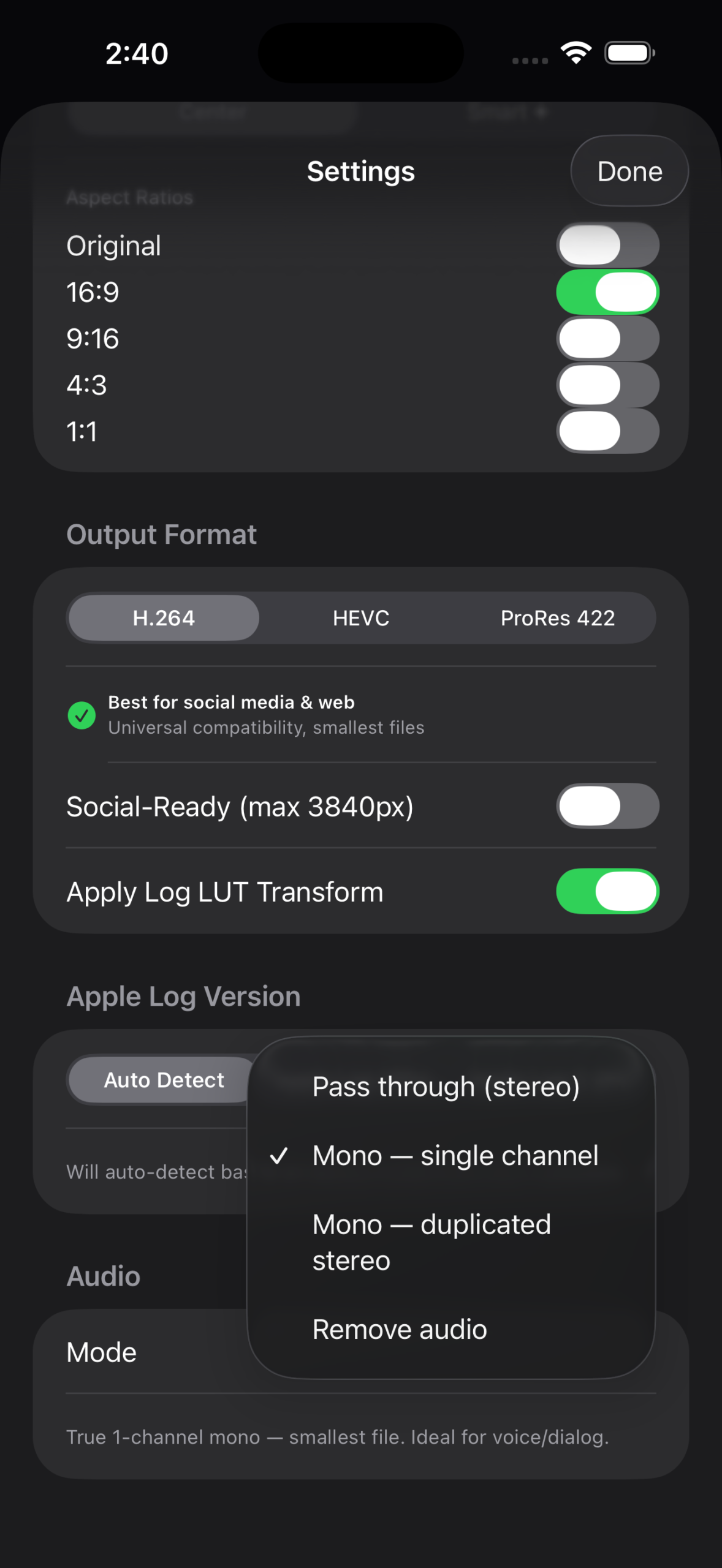
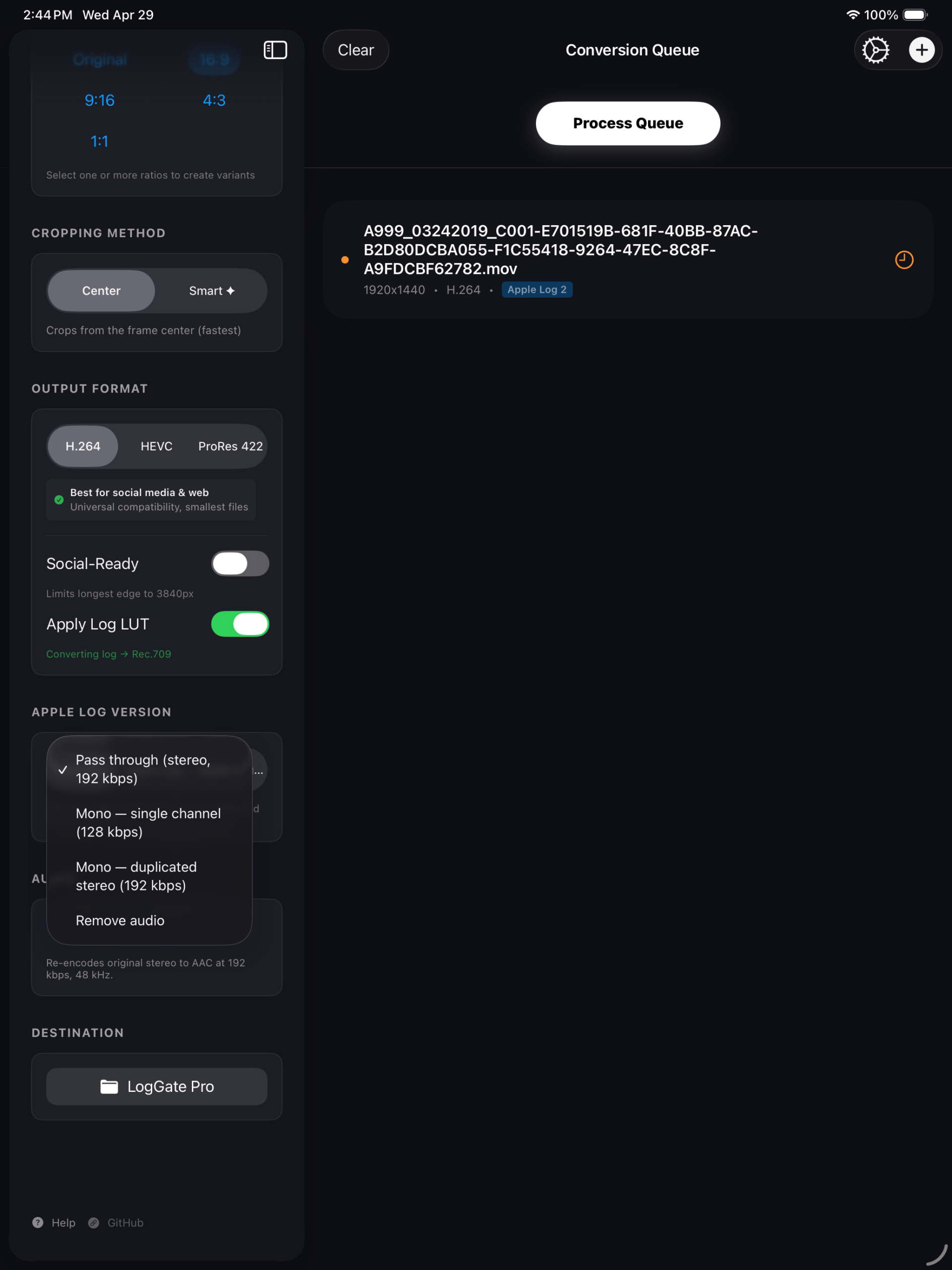
Powered by Apple’s Vision framework, LogGate Pro can detect the primary subject in your footage and reframe the shot automatically. You choose an output aspect ratio — 16:9, 9:16, 4:3, 1:1, or the original — and the app keeps the subject centered within that frame. This creates platform-ready variants from a single source clip without manual cropping in an editing timeline.
Codec Selection
Every clip in your queue can be exported in the codec that fits your next step:
- H.264 — universal compatibility, smallest file size, set as the default for social media and web delivery
- HEVC — 50% smaller than H.264 at equivalent quality, recommended for archival and long-term storage
- ProRes — lossless output suitable for import into Final Cut Pro, DaVinci Resolve, or any professional editing application
Batch Processing Queue
LogGate Pro processes videos sequentially from a queue. You can add files before processing starts, or drop in additional clips while the queue is already running. Right-clicking any queued item gives you the option to duplicate it with current settings or re-run it after changing the codec or crop configuration. A processing log is saved automatically for every completed session.
Social Media Output Optimization
Enable the social-ready output mode to automatically cap resolution at platform limits. This prevents unnecessarily large file sizes when the destination is Instagram, TikTok, or YouTube Shorts — platforms that re-encode everything anyway.
Fully Local, No Account Required
All processing runs on your device. LogGate Pro does not connect to any external server, does not upload your video files, and does not require an account or subscription. There is no analytics or usage tracking. Processing speed scales with your hardware — Apple Silicon M-series chips process most 4K Log clips in under a minute.
LogGate Pro is $19.99, one-time purchase, available on the App Store.