Apple Log to Rec.709
in seconds.
Professional video conversion with AI-powered smart framing and batch processing. Built for filmmakers who shoot on iPhone.
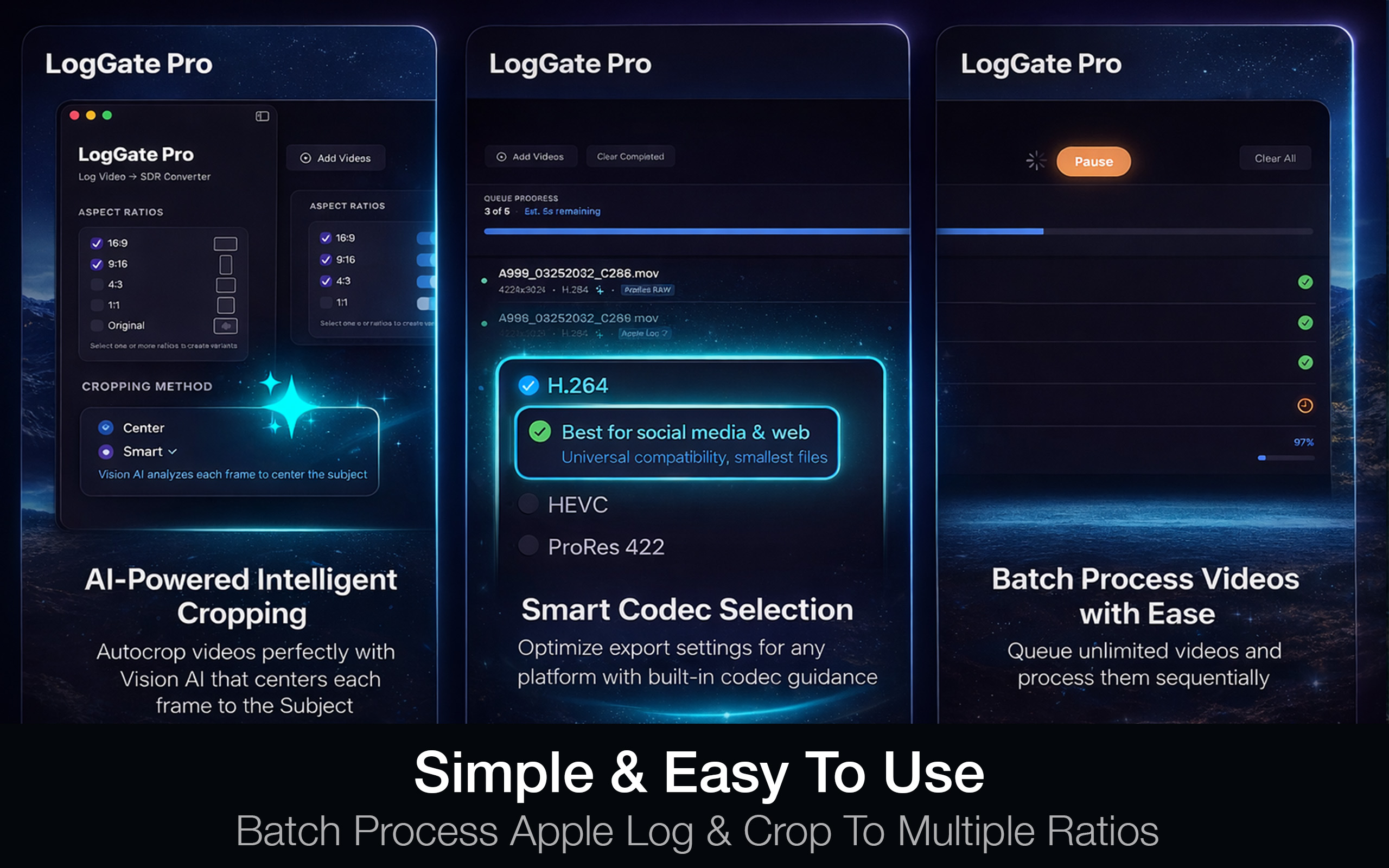
Everything you need for
Apple Log conversion
Purpose-built for the professional video workflow. From ingest to export, every feature is designed to save you time.
Apple Log 2 Support
Full support for iPhone 17 Pro Apple Log 2 color space. Convert to broadcast-ready Rec.709 SDR with accurate color science.
Smart AI Framing
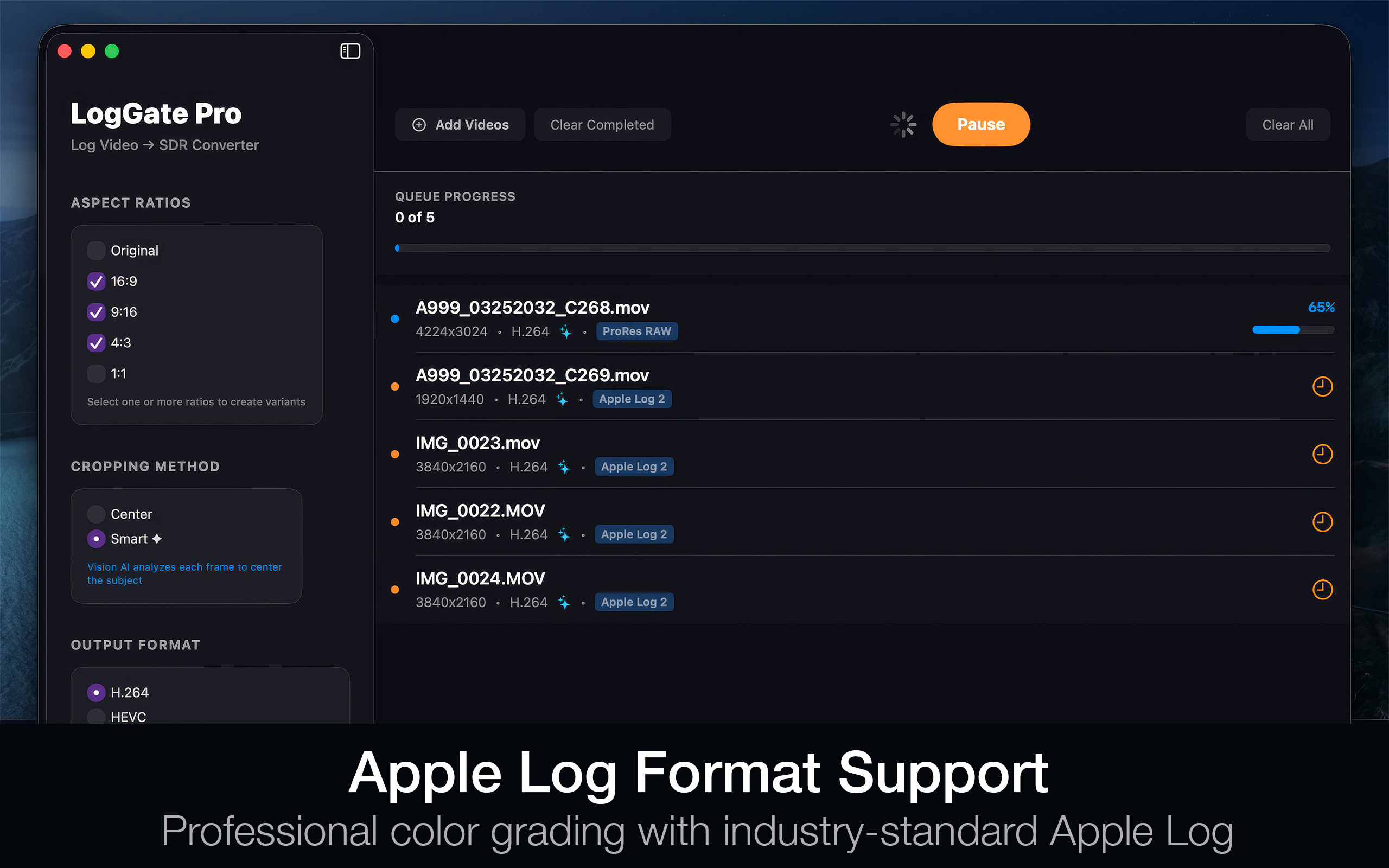
Vision AI analyzes each frame to center your subject perfectly. Create variants for 16:9, 9:16, 4:3, and 1:1 in a single pass.
Batch Processing
Queue unlimited videos and process them sequentially. Add files on the fly. Native M-series optimization for maximum speed.
Multiple Codecs
Export as H.264 for web, HEVC for quality, or ProRes for professional editing. Choose the right format for every delivery.
Privacy First
All processing happens entirely on your Mac. No uploads, no tracking, no cloud dependencies. Your footage stays yours.
Metal Accelerated
Built from the ground up for Apple Silicon. Metal GPU acceleration delivers the fastest possible conversion pipeline.
See what LogGate Pro looks like
A clean, focused interface that stays out of your way. Drag, configure, convert.
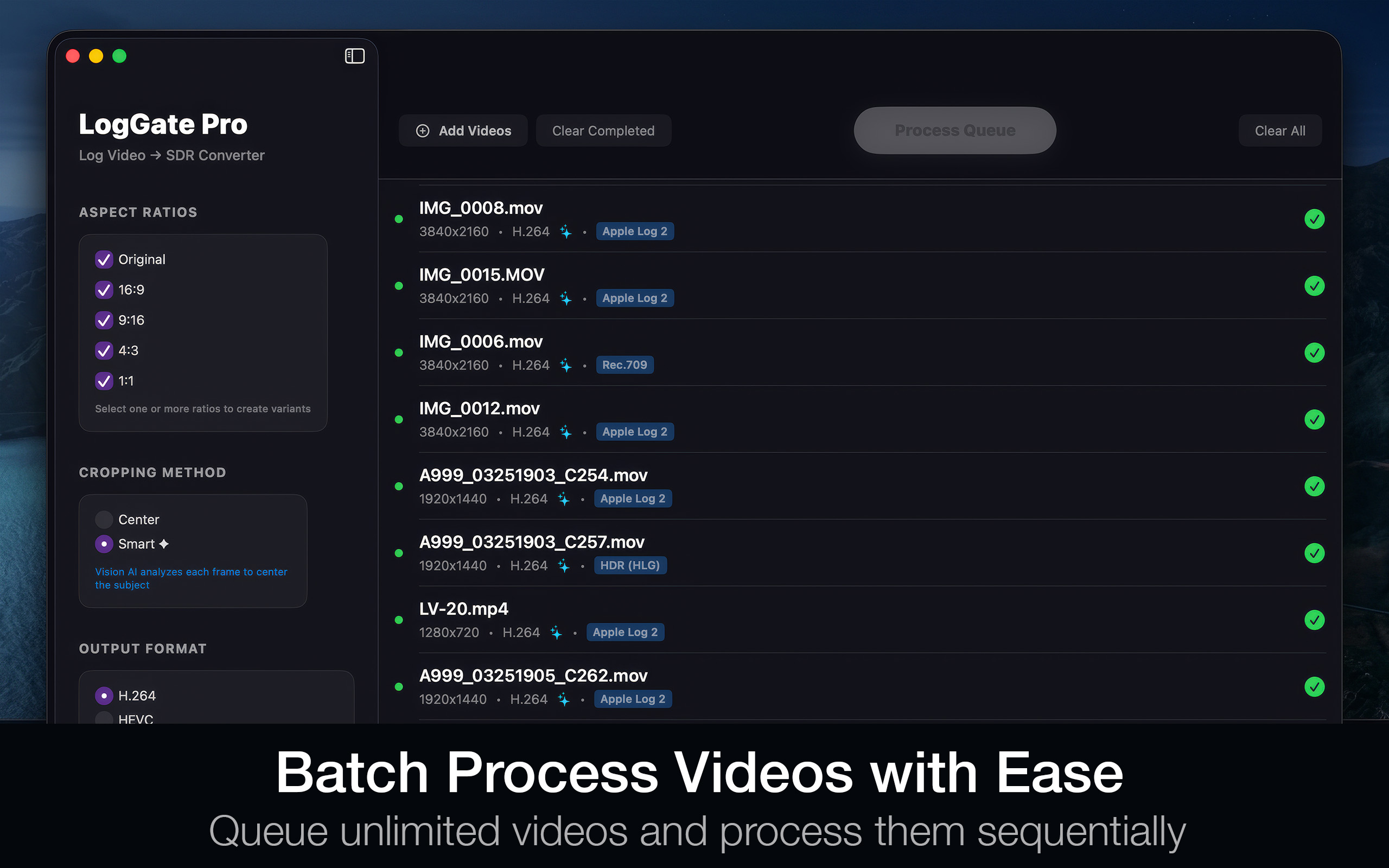
Batch Processing
Queue unlimited videos with per-file status tracking
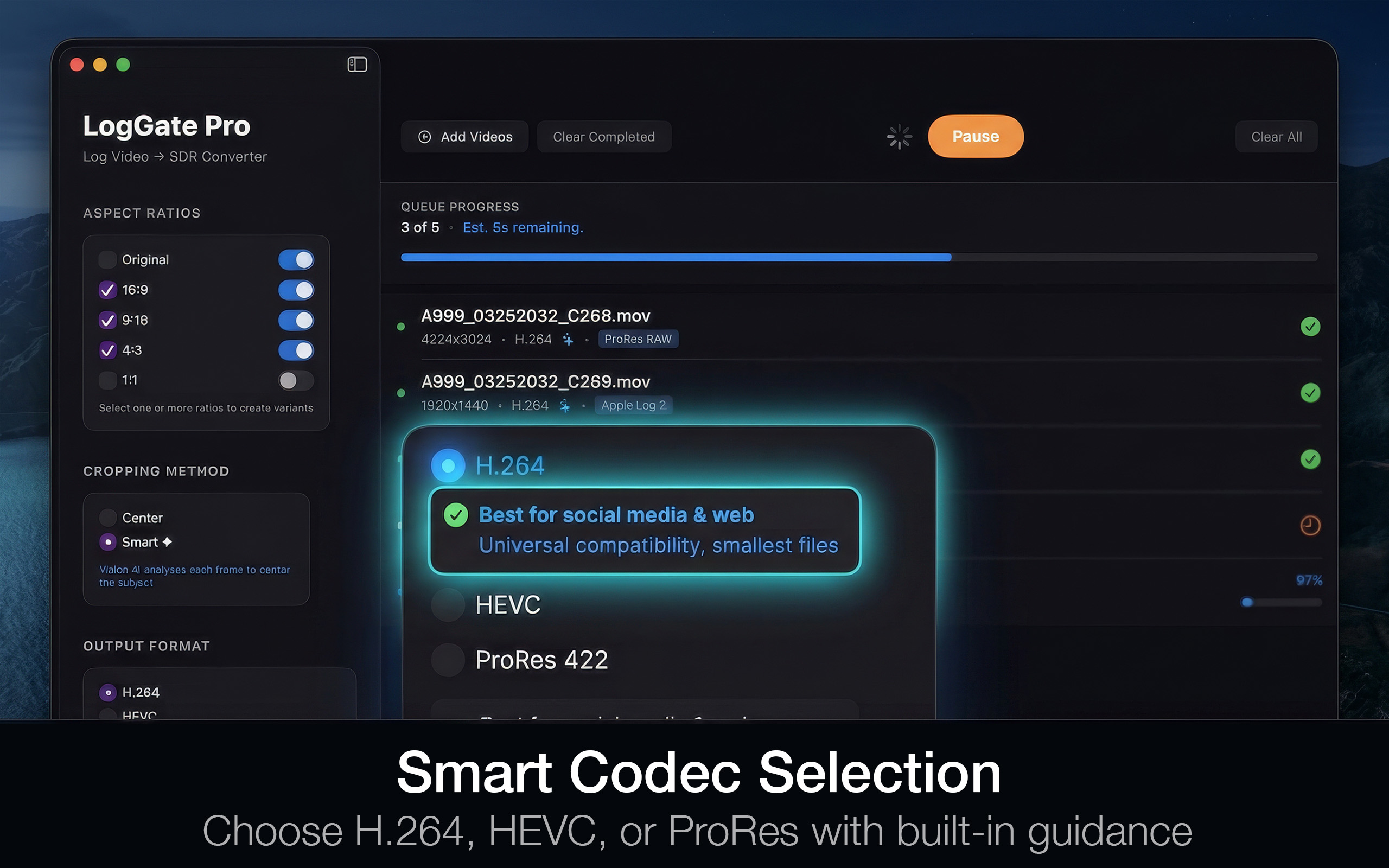
Codec Selection
H.264, HEVC, and ProRes with smart defaults
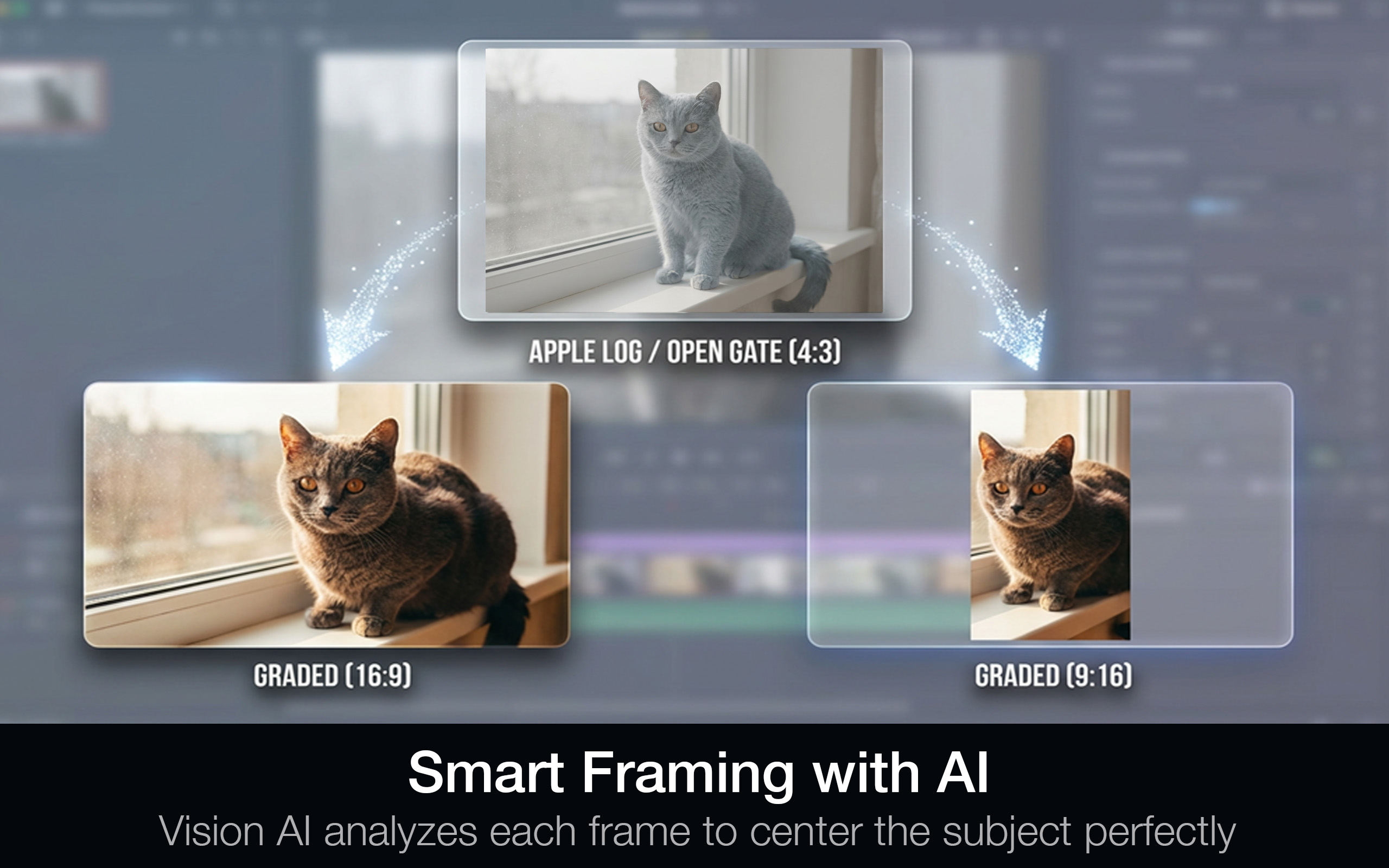
Smart AI Framing
Vision AI centers subjects across aspect ratios
Apple Log 2
Accurate color science from log to Rec.709
Latest from the team
Tips, tutorials, and updates for professional video editors using LogGate Pro.
Apple Log 2: What Filmmakers Need to Know
Everything about the new Apple Log 2 color space on iPhone 17 Pro and how to get the best results.
Speed Up Your Edit: Batch Processing Tips
How to process hundreds of clips efficiently with LogGate Pro’s queue system and smart defaults.
Rec.709 vs HLG: Choosing the Right Output
Understanding color spaces and when to use SDR vs HDR output for your professional deliverables.
One price. No subscriptions.
Pay once, own it forever. Every feature included. Every future update included.
- Apple Log 2 to Rec.709 conversion
- AI-powered smart framing
- Unlimited batch processing
- H.264, HEVC, and ProRes export
- Multiple aspect ratios (16:9, 9:16, 4:3, 1:1)
- 100% local, private processing
- Native Apple Silicon (M1+)
Common questions
LogGate Pro supports all major video formats including MOV, MP4, AVI, and ProRes. It’s optimized for Apple Log 2 footage from iPhone 17 Pro and integrates seamlessly with Final Cut Pro, Adobe Premiere Pro, and DaVinci Resolve workflows.
Most videos process 5-10x faster than traditional color grading methods thanks to Metal GPU acceleration. A 1-hour video typically converts in under 5 minutes on Apple Silicon Macs.
Absolutely. LogGate Pro is designed for professional color conversion. It’s used by wedding videographers, content creators, and production agencies worldwide. ProRes export ensures broadcast-quality output.
LogGate Pro requires macOS 26.0 or later on Apple Silicon (M1 or newer). We recommend 16GB RAM for optimal performance with 4K footage, though 8GB works well for most workflows.
Never. All processing happens entirely on your Mac. LogGate Pro doesn’t connect to any servers, doesn’t track usage, and doesn’t require an internet connection to work. Your footage stays completely private.

Ready to transform your workflow?
Join professional editors who trust LogGate Pro for fast, accurate Apple Log conversion.
Download on Mac App Store